> For the complete documentation index, see [llms.txt](https://docs.fulcrom.finance/fulcrom-finance/llms.txt). Markdown versions of documentation pages are available by appending `.md` to page URLs; this page is available as [Markdown](https://docs.fulcrom.finance/fulcrom-finance/other-features/notifications/how-to-start-receiving-notifications-on-telegram.md).
# How to start receiving notifications on Telegram?
{% hint style="info" %}
RealizedPnL on Telegram Notifications is the value before deducting fees.
{% endhint %}
**Step 1.** Click on the bell icon.
**Step 2.** Click on Log in with Telegram. and click “Accept” on the same website.
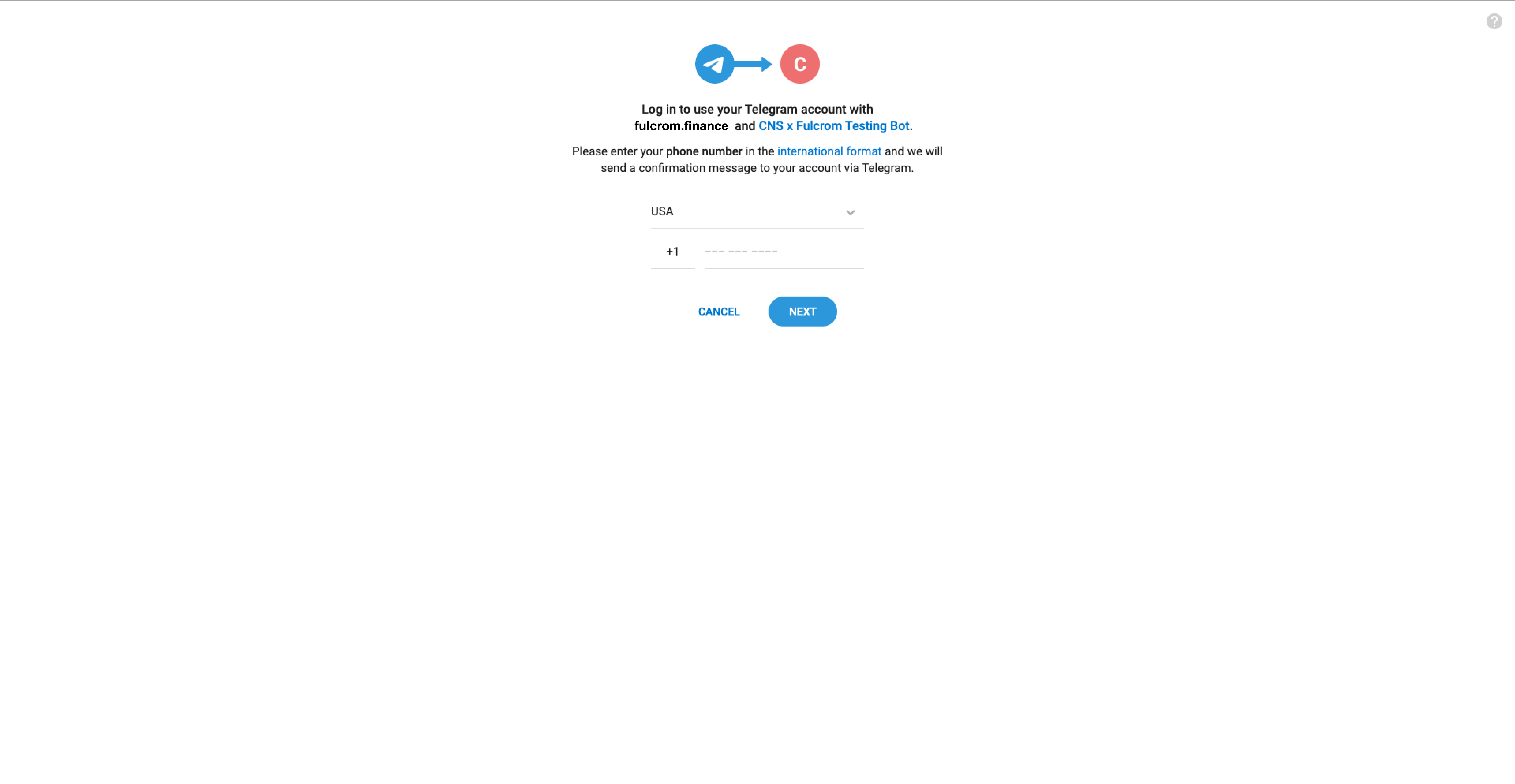
**Step 3.** Enter your phone number and stay on this website. Give approval on your Telegram account via another device.
**Step 4.** Click on “Accept” to proceed.You have successfully connected your Telegram account to Fulcrom notification channel. You will start receiving notifications on your trades via Telegram.
.png?alt=media&token=f8365c60-7c9a-4a16-86e0-208a66f7fc36)

.png?alt=media&token=7cd60453-25a2-4f7f-9bbb-81ada7b61d87)